June 24th, 2025
New
You can now add products directly to the cart from the recommendation carousel within the chat interface on Cafe24-built stores.
For products that require option selection, users will be automatically redirected to the product detail page to ensure an accurate purchase experience. This feature is currently available only for Cafe24, with support for more platforms coming soon.
June 18th, 2025
Improved
The ‘Agent Builder’ tab in the Gentoo Console has been improved, allowing you to create and apply guidelines by simply talking with Gentoo.
Previously, creating a guideline required manually writing one or using a template, followed by repeated trial and error to improve it. Now, whenever you think “I wish Gentoo had responded differently,” you can give feedback directly during the conversation to start building a new guideline. Gentoo will automatically switch to Admin Mode, shifting the chat to the left and opening a draft guideline editor on the right. You can edit the generated guideline directly, or continue the conversation with Gentoo to revise or add to it collaboratively.
June 16th, 2025
New
To enhance user support within the Gentoo Console, a Helpdesk banner has been added to the left-hand navigation menu.
This feature provides users with immediate access to the Gentoo support team, enabling faster resolution of questions or issues encountered during use.
Clicking the banner will initiate a direct contact flow, ensuring timely and effective assistance.
June 13th, 2025
Improved
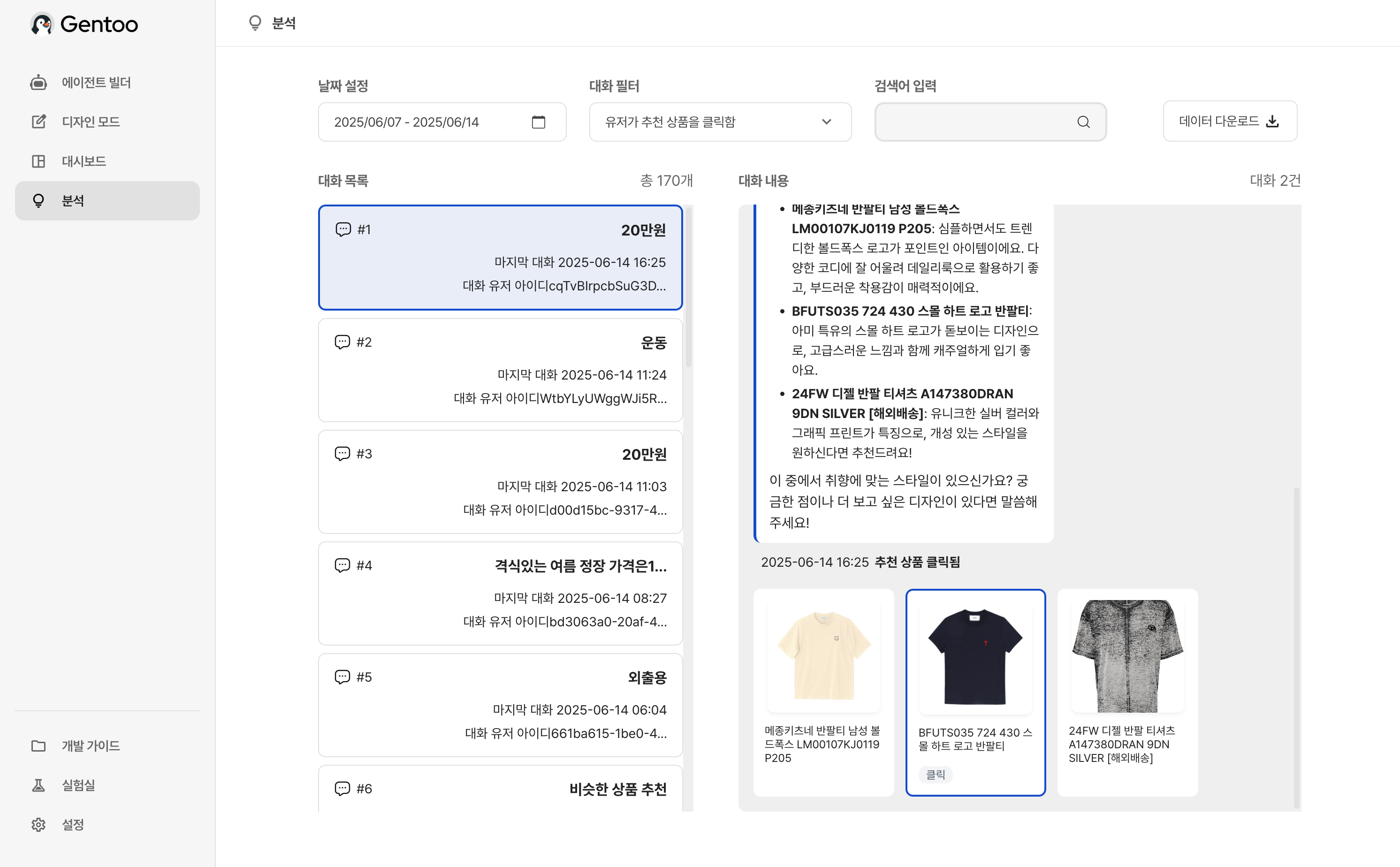
We’ve enhanced the Analytics tab to make it easier to understand how users interact with Gentoo’s product recommendations within conversations.
Visualized Product Recommendations: Recommended products are now displayed in an image carousel format, allowing you to quickly see which items were suggested during a conversation. This visual context makes it easier to review the diversity and relevance of recommendations at a glance.
Highlighted User Clicks: Products that were actually clicked by users are now outlined in blue. This helps you instantly identify which items captured user interest among multiple suggestions.
June 9th, 2025
Improved
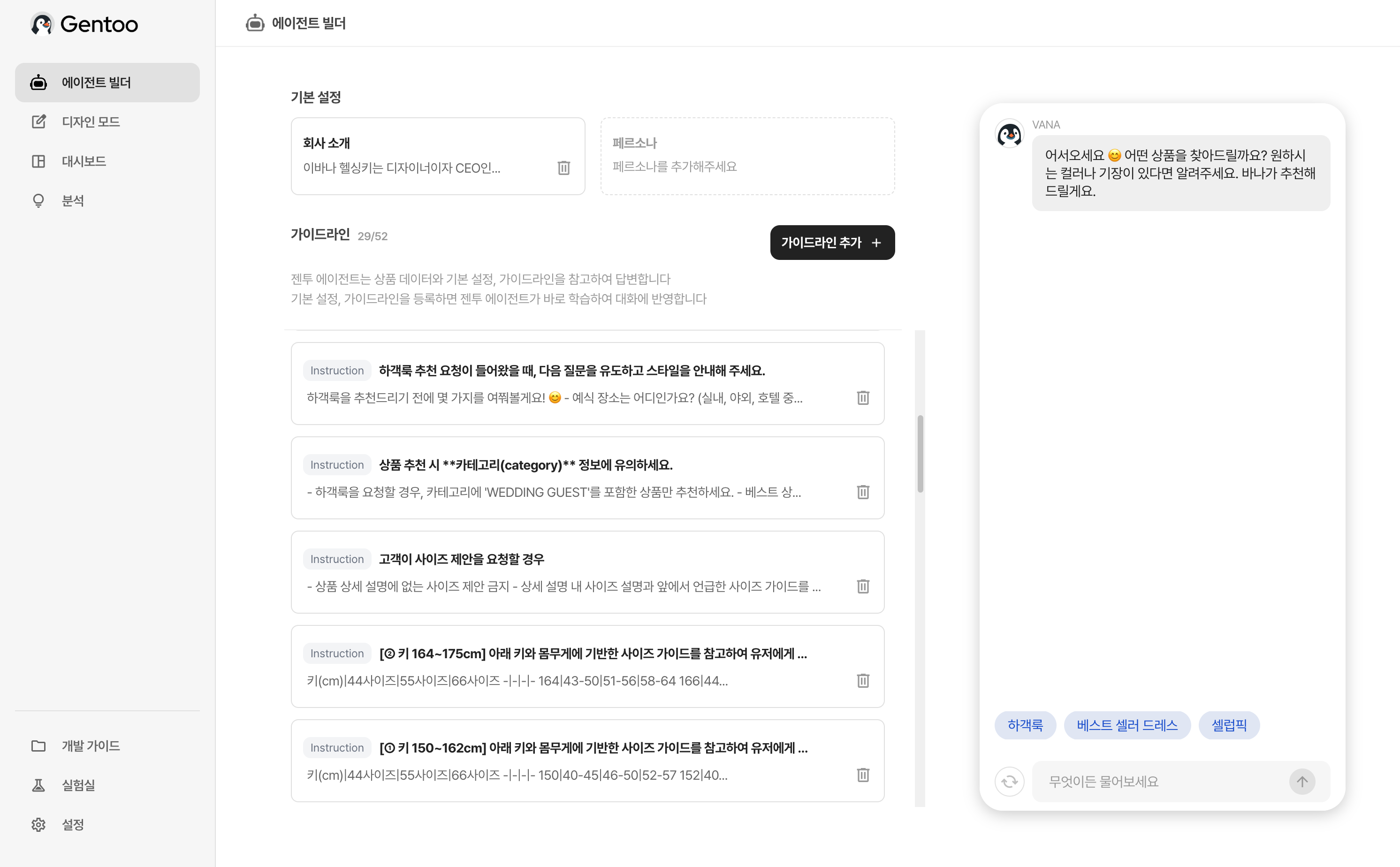
The Custom Prompts feature, previously available as a Labs (experimental) feature, is now officially released and has been rebranded as “Guidelines.”
Guidelines serve as instructions to help the Gentoo Agent better interpret product data and respond more accurately to user inquiries. Once registered, the agent immediately learns from the guideline and reflects it in conversations.
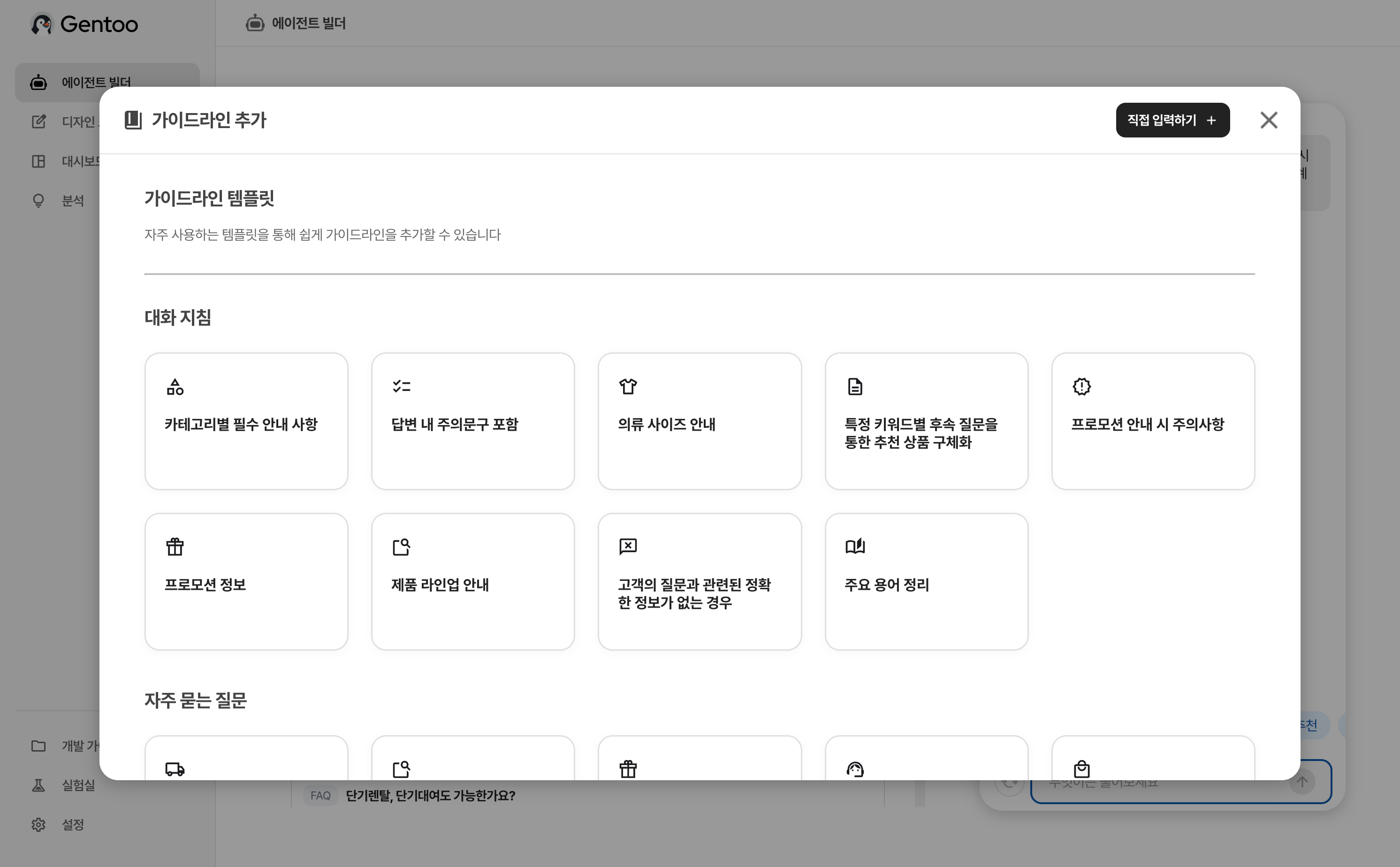
To make it easier to get started, a variety of guideline templates have also been added.
By selecting from templates grouped by common configurations or conversation rules, anyone can quickly set up effective guidelines—making it easy to design a personalized conversation experience.
June 4th, 2025
Improved
Two key improvements have been made to the chat streaming experience.
Real-Time Markdown Rendering During Streaming
Previously, markdown formatting—such as bold text or bullet points—was only applied after the full response was rendered. Now, markdown is applied in real time as the message is streaming, making the conversation easier to read as it unfolds.
Improved Auto-Scroll Focus During Streaming
When the response text grows longer than the visible chat area, the chat window now automatically scrolls to follow the content even during streaming. This ensures users can stay focused on the latest part of the conversation without needing to scroll manually.
June 2nd, 2025
New
A new “Download Data” button has been added to the top of the Analytics tab in the Gentoo Console. This allows you to export filtered conversation data as an Excel (.xlsx) file.

May 28th, 2025
New
Gentoo Agent now officially supports English. When product data is uploaded in English, the following features are enabled:
When users ask questions in English, Gentoo responds naturally and accurately in English.
Starter prompt examples generated in Console Design Mode can now be written in English.
Input placeholder examples in the chat window are also displayed in English.
May 22nd, 2025
Fixed
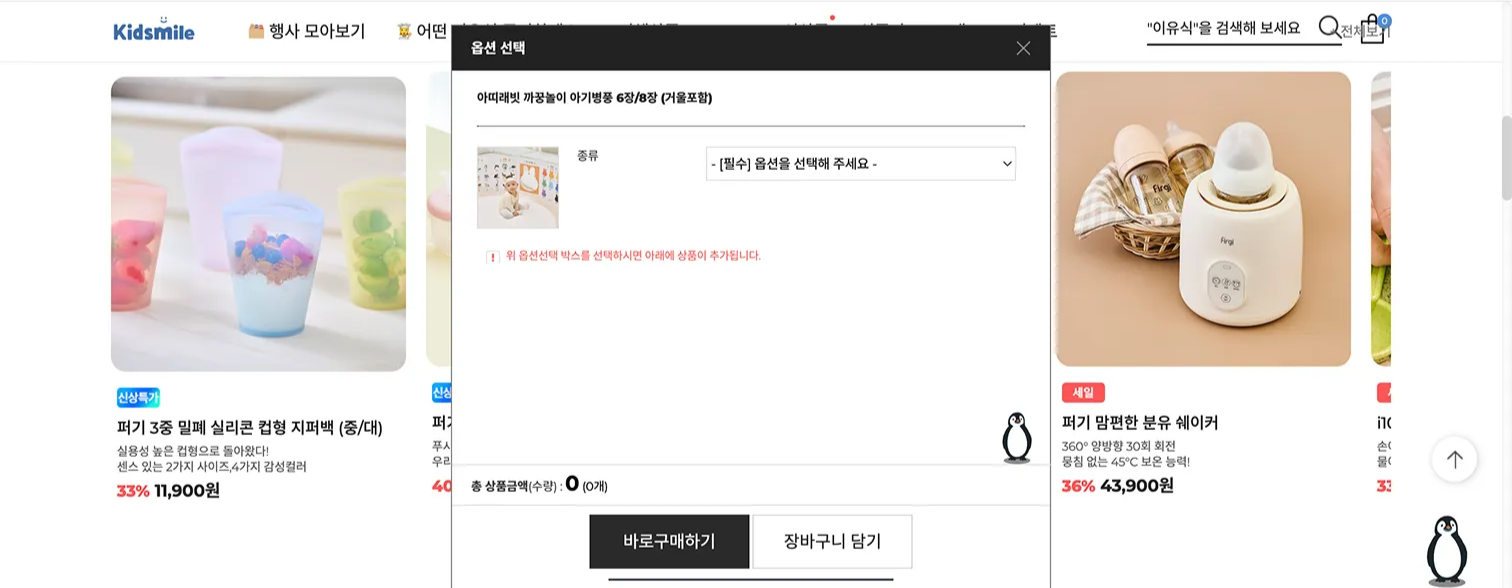
Previously, when modal windows, such as option selectors, opened within the store, Gentoo’s floating button was also displayed inside the modal. This caused the button to appear twice on the same screen. With this update, the issue has been fixed, and the floating button now appears correctly without duplication, even when a modal is open.
May 21st, 2025
New
With this update, a new “Analytics” menu has been added to the Gentoo Console, allowing you to review actual user conversations.
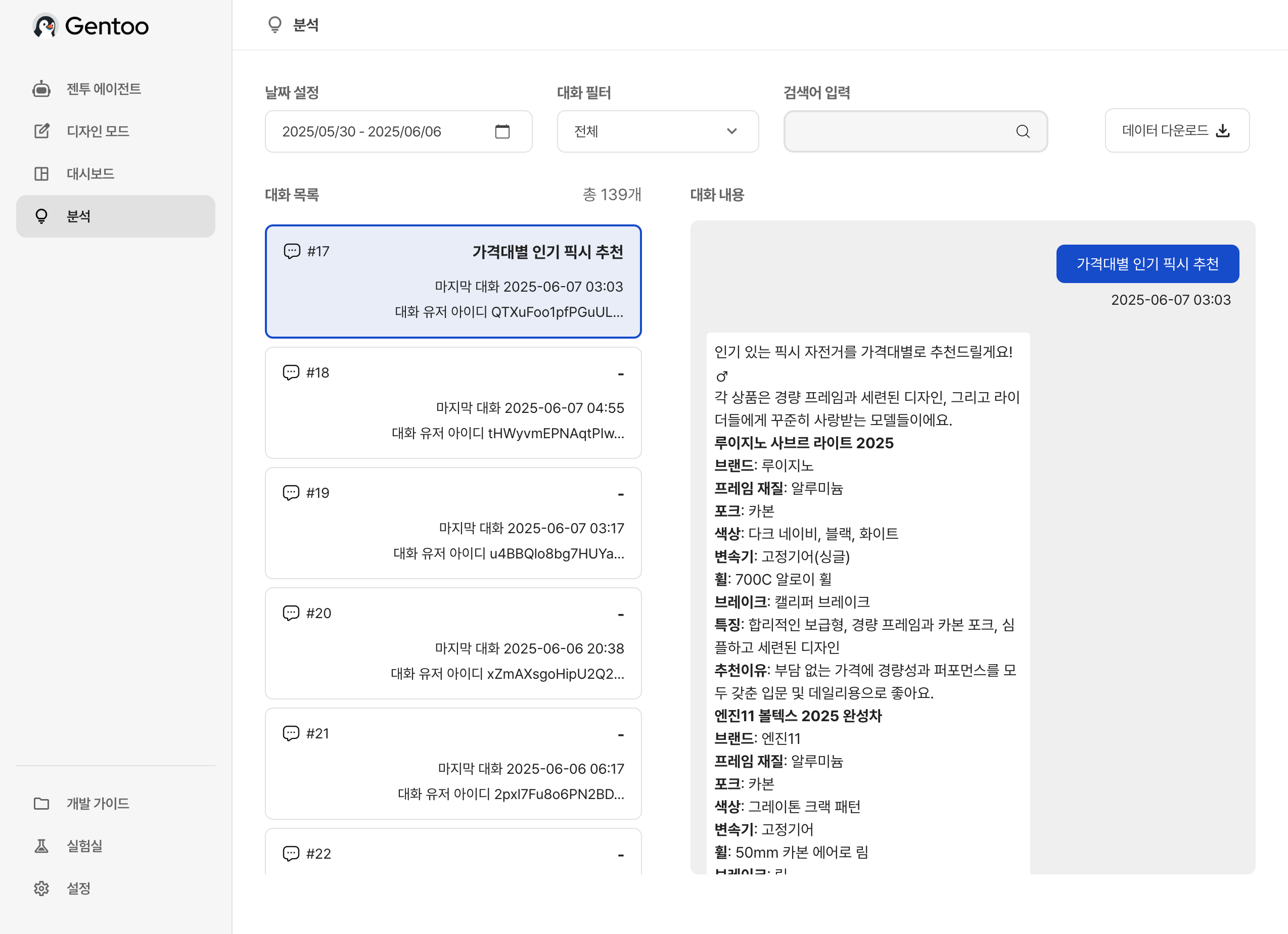
By selecting a date range at the top, you can view conversations from a specific period. Clicking on a conversation from the list displays the full conversation details on the right-hand panel.
The following filtering features are also available:
Conversation Filter: View only conversations that meet certain conditions, such as “conversations where a recommended product was clicked” or “conversations initiated from a product detail page.”
Keyword Search: Quickly find conversations that include specific keywords.